Home - Data Mode
(See Figure 2-4-1)
| Module Function Description | Function Description |
|---|---|
| Device Statistics | Display the number of devices classified by status, click on any status to filter the corresponding device list |
| Message List | Divided into three categories of real-time messages: chiller failure, abnormality&alarm, and driving messages |
| Map | Display equipment distribution map; Switching between Baidu and Google Maps; Map mode switching; |
| Quick Entry | Provides quick navigation to high-frequency function pages |
| Device List | Status: Color identifies device status, supports dropdown filtering; Address Copy: When hovering over an address, a copy icon is displayed, and clicking on the address or icon can copy it; Data Update: The latest update time is displayed in the upper right corner; *View details *: Click “View” to jump to the “Map - Location Monitoring” page |
| Status Statistics | Visualize the number of device statuses using a bar chart |
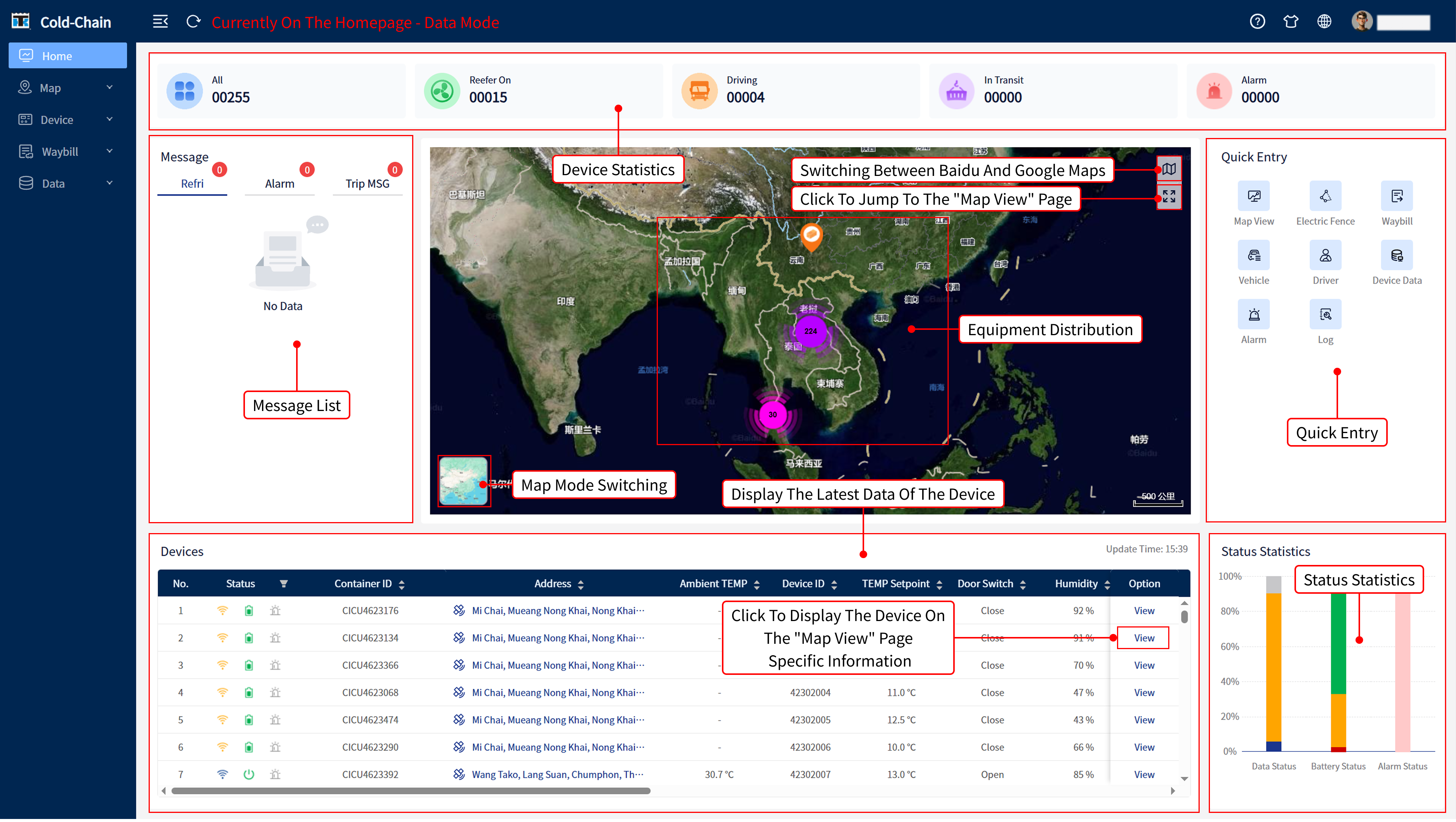
Figure 2-4-1
Home - Map Mode
(See Figure 2-4-2)
| Function | Description |
|---|---|
| Core View | Full Screen Display of Device Geographic Distribution Map |
| Bottom Data Table | Supports the following operations: Filter/View Device Data Export Data: Export Current Table Column Configuration: Customize Display Fields Maximize/Minimize: Adjust Table Display Area |
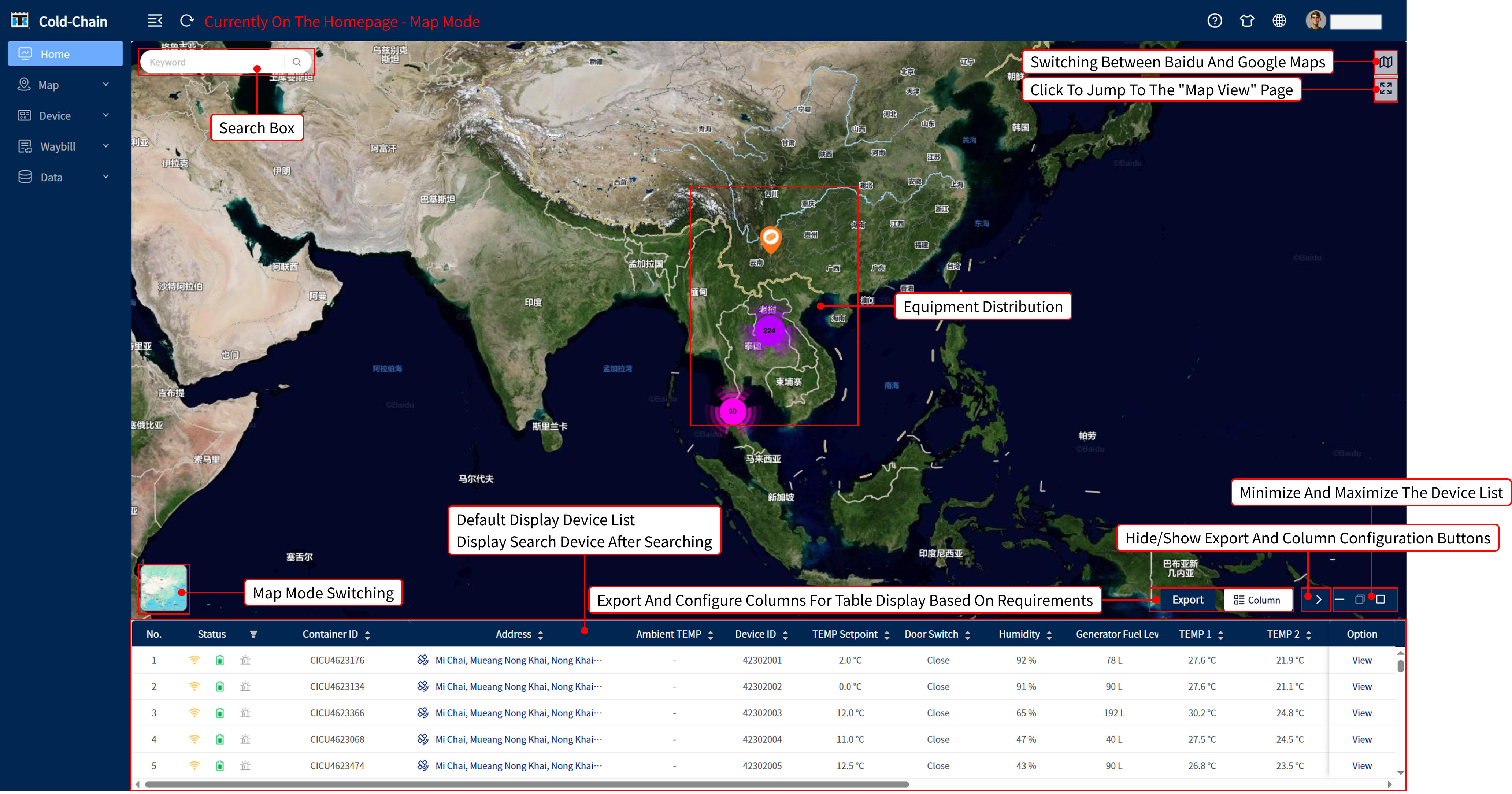
Figure 2-4-2
文档更新时间: 2025-11-28 10:24 作者:许晴