Positioning monitoring
1. Equipment selection (see Figure 2-5-1)
- Select the target device by clicking on the device icon on the map or entering the device box number and ID in the search box
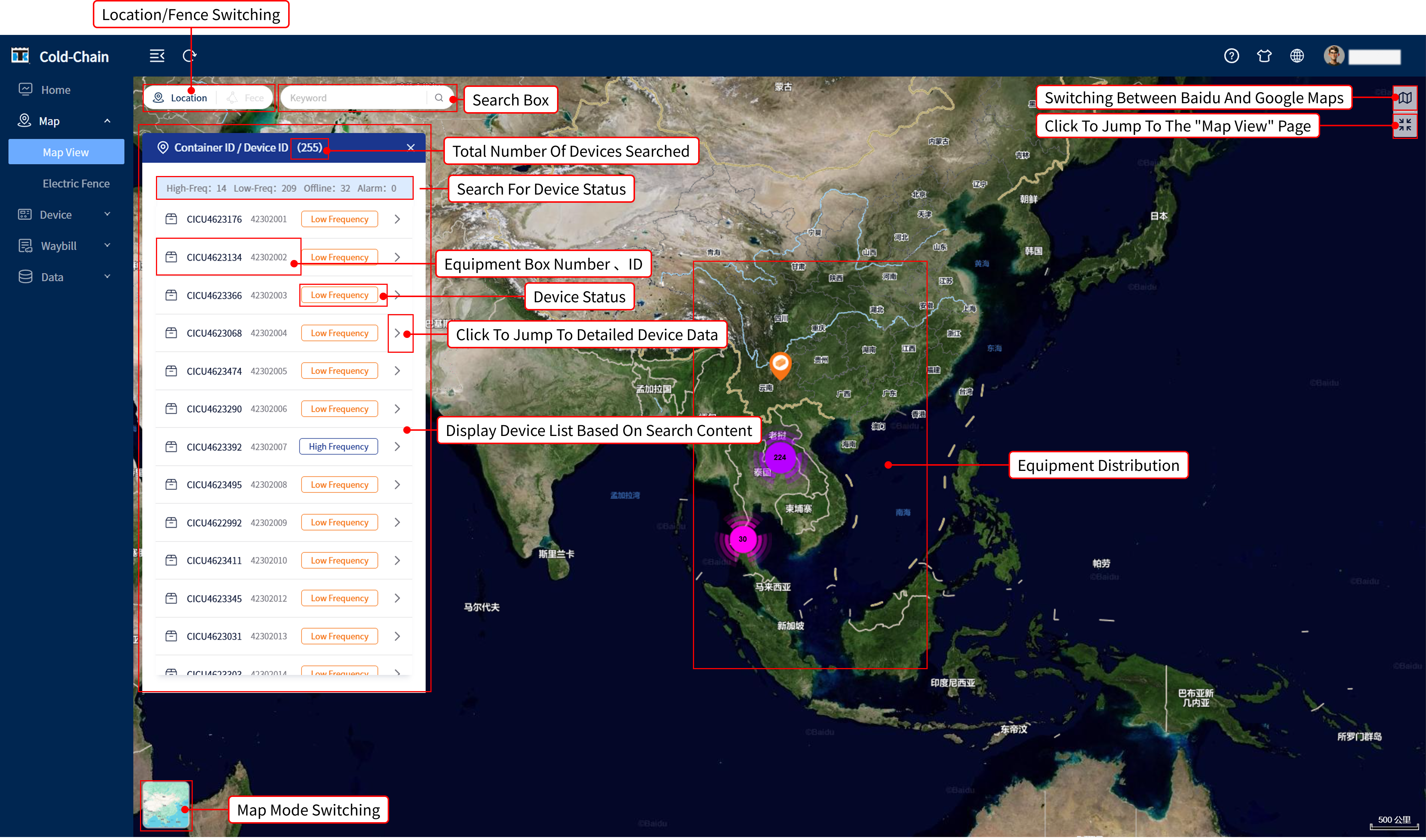
Figure 2-5-1
2. Function Panel (See Figure 2-5-2 for the left column)
- Data Information: Real time status parameters of the device
- Remote Control: Send device commands (such as unit power on/off)
- Data Line: Key Indicator Trend Chart (such as Temperature Curve)
- Historical Data: Querying device historical operation records
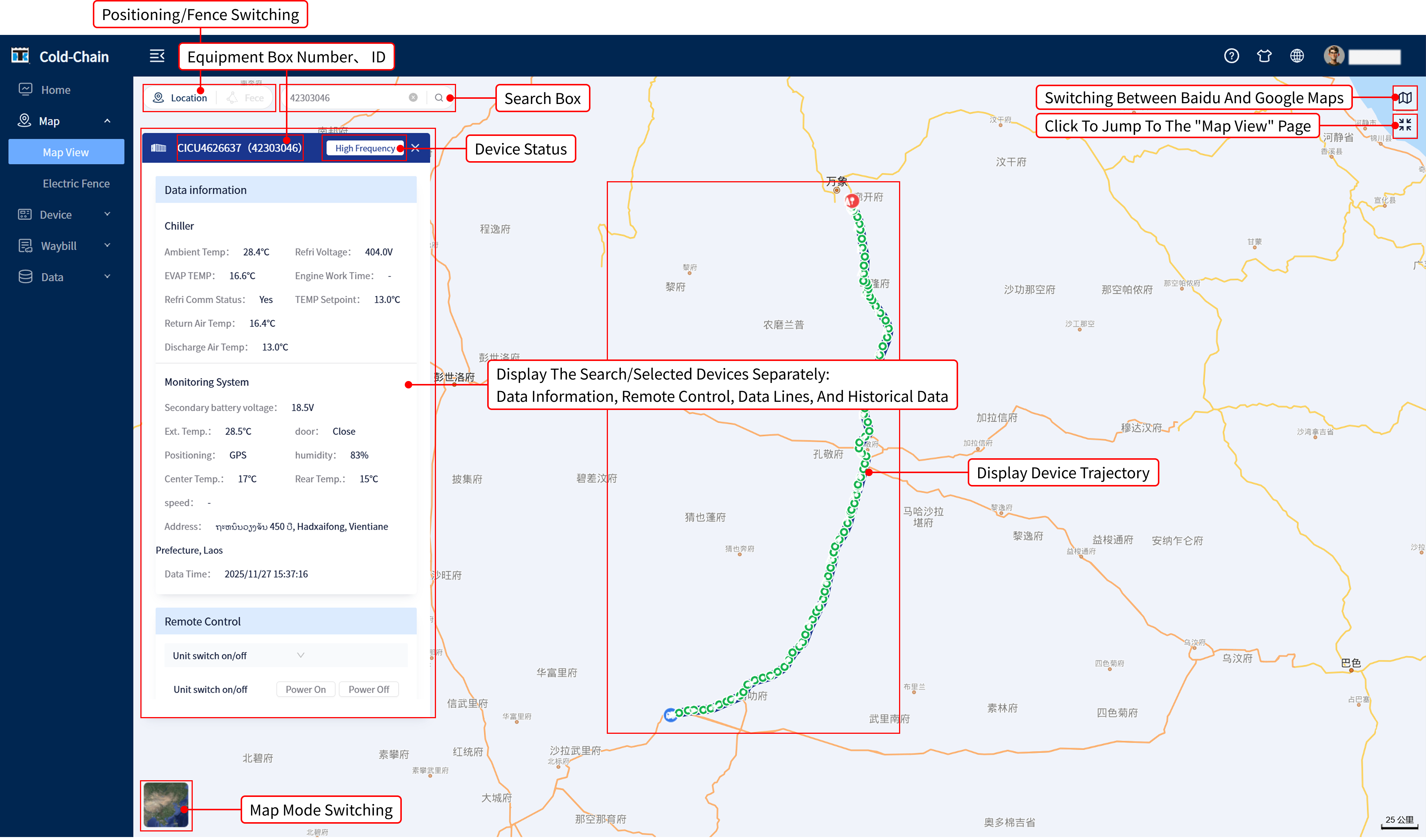
Figure 2-5-2
3.Data information, remote control, data line (see Figure 2-5-3)
Display device data information
Remote control of equipment
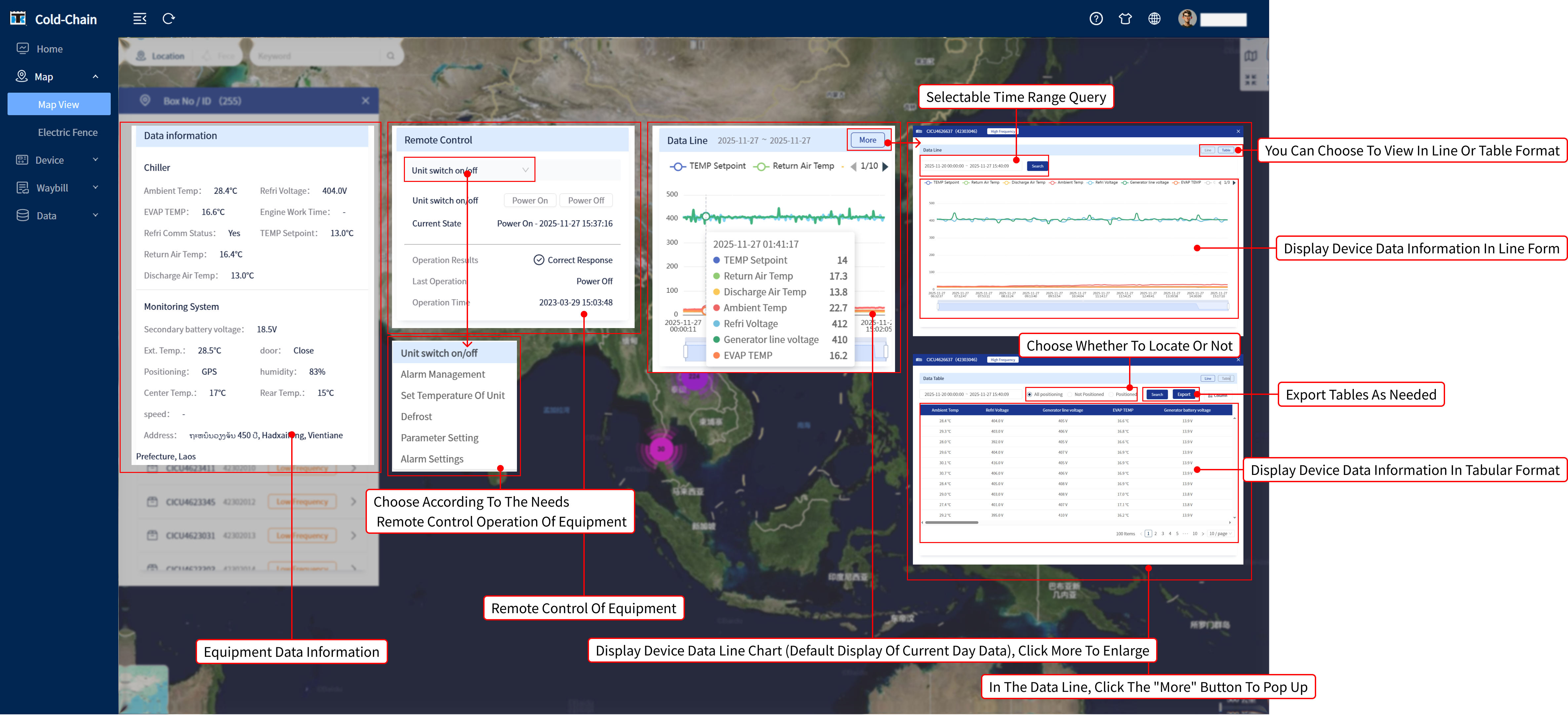
Figure 2-5-3
4.Historical data (see Figure 2-5-4)
Display historical data of the device
-Click on the list information on the left to correspond to the specific location of the map trajectory on the right;
-Similarly, clicking on the map point on the right corresponds to the list information on the left.
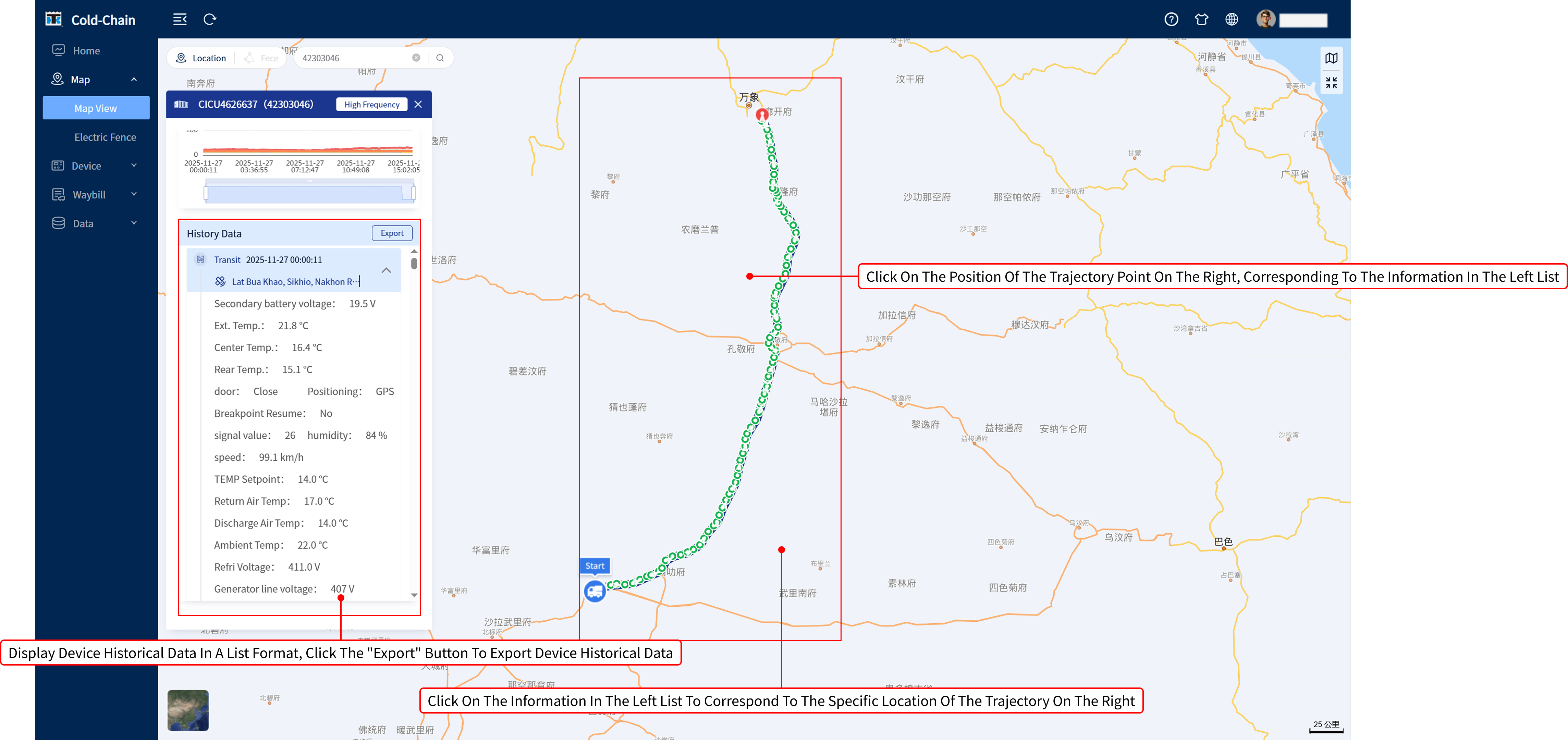
Figure 2-5-4
文档更新时间: 2025-11-28 13:40 作者:许晴